Get your music
on Roblox.
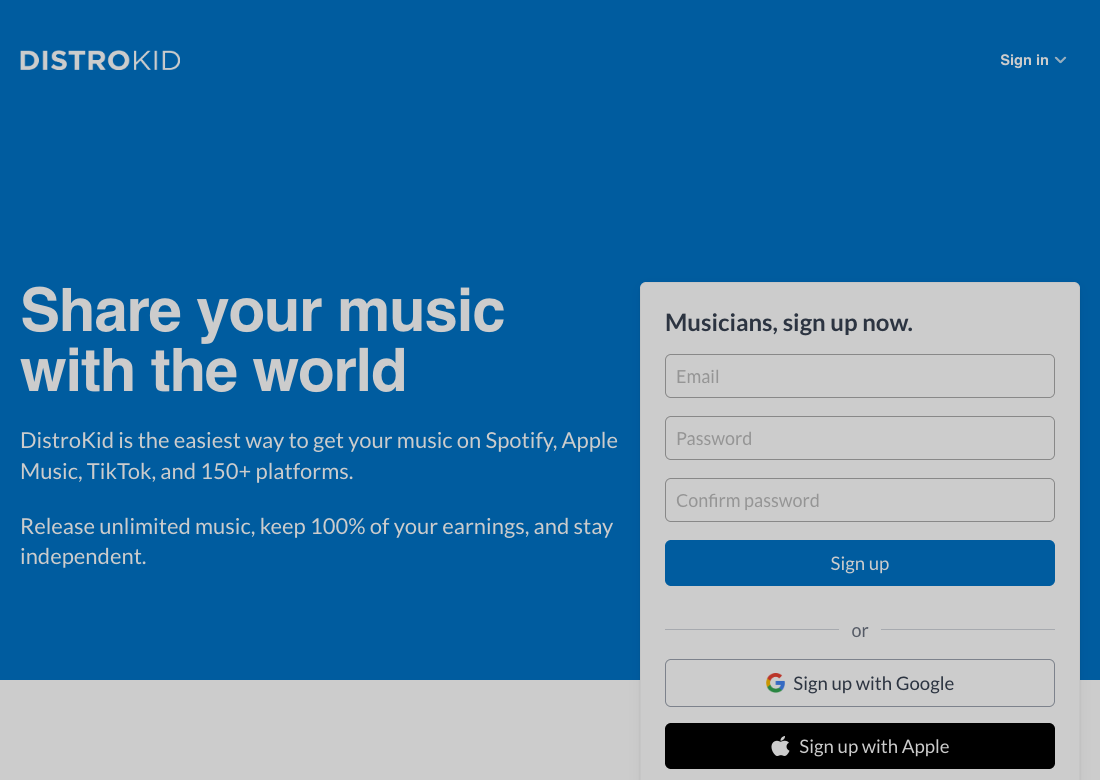
From your first upload to playing it in a game.
02
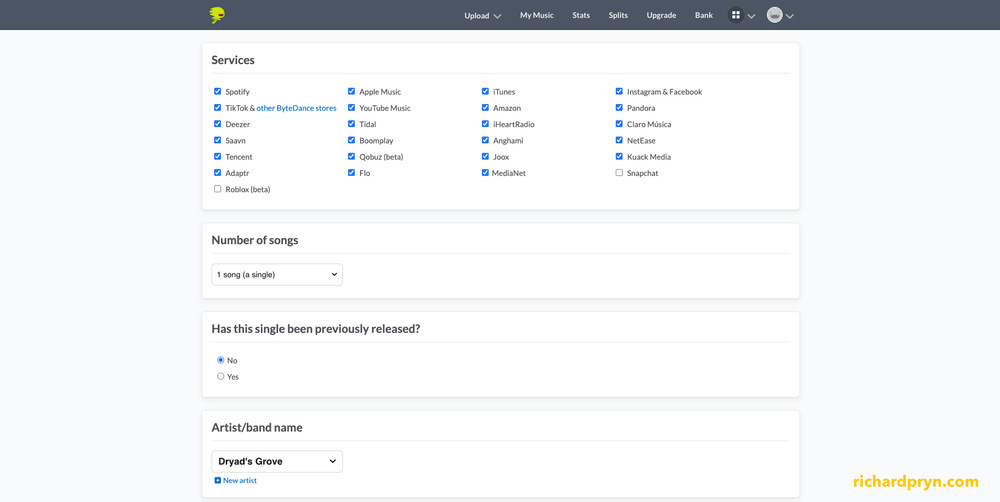
Select Roblox
Open Upload music and tick Roblox in Services.
03
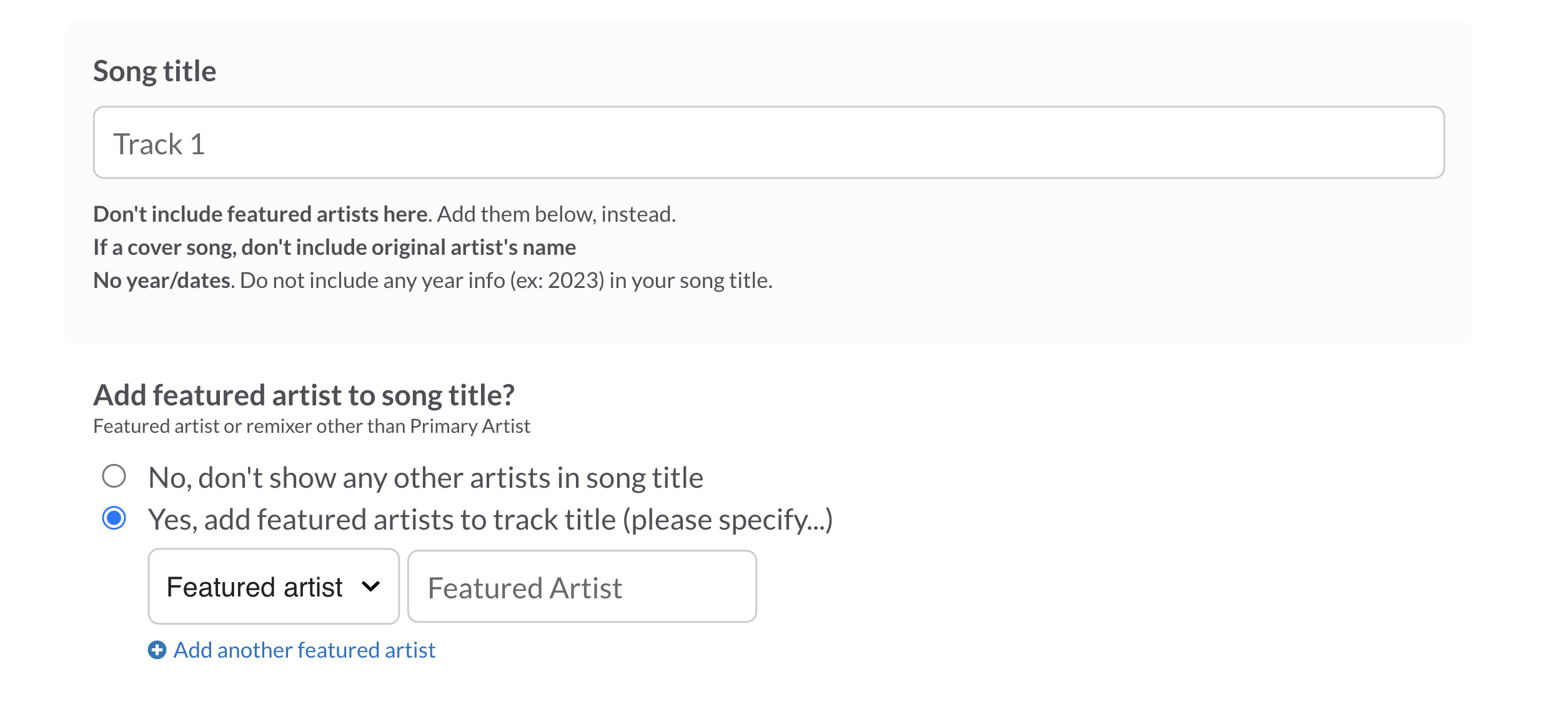
Add your release details
Enter your artist name, song title and square cover art.
04
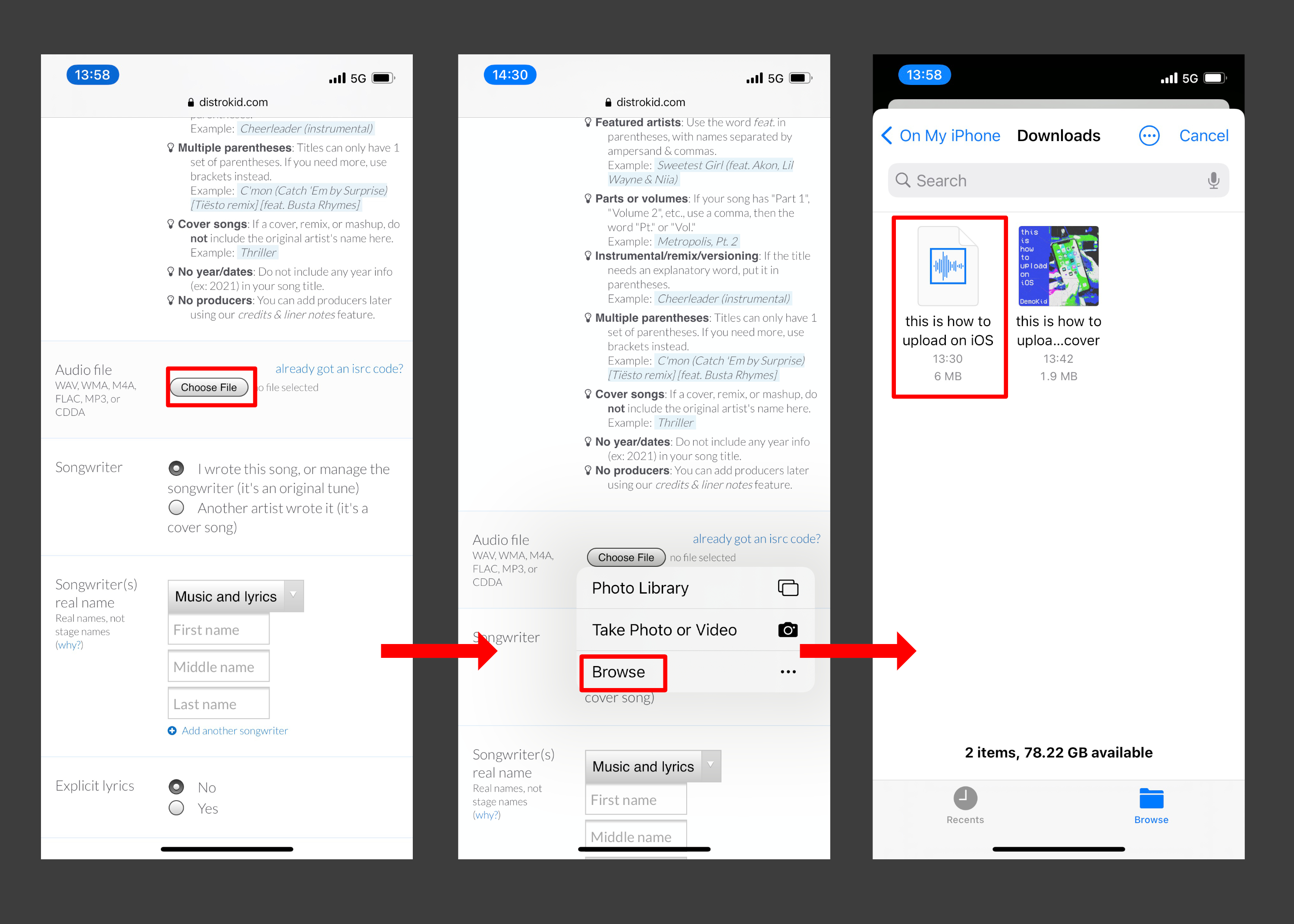
Upload your song
Choose your audio file, then add the songwriter credits.
05
Review and submit
Check your release, complete the required confirmations and click Continue.
06
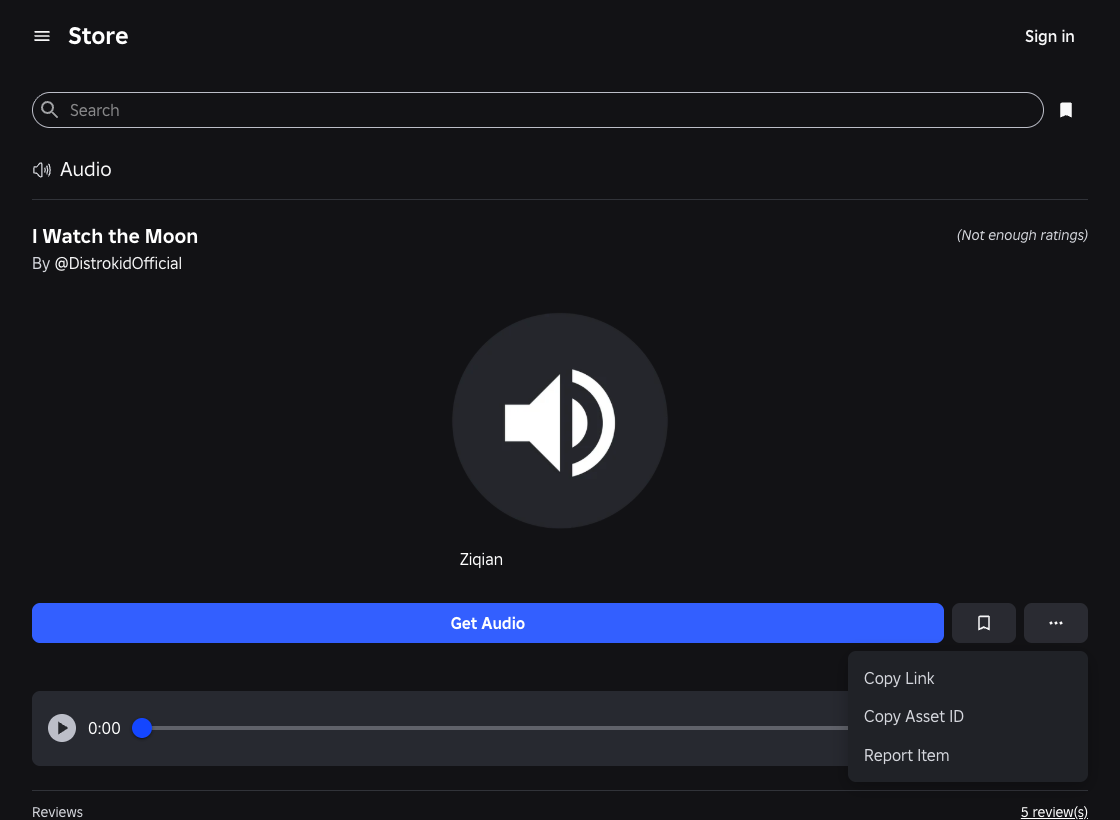
Find your Roblox audio ID
Once accepted and live, find your song in Creator Store → Audio. Open its page, click ⋯ → Copy Asset ID.
07
Paste it into a game’s radio
In a game that supports custom audio IDs, open the radio or boombox, paste your number and press Play. Each game controls audio access.
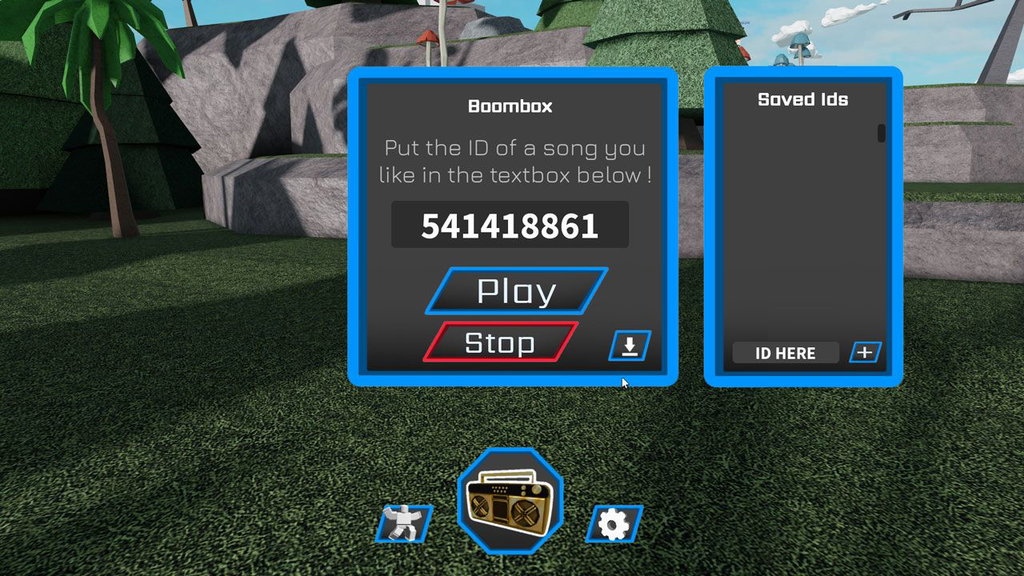 Example boombox